Switching to the legacy client via Steam
Step-by-step instructions for selecting the temporary "legacy" branch in Steam's Game Version & Betas tab when the new client fails to connect. Notes that the branch is a stopgap and will be removed once the new client issues are fixed.
If you are experiencing connection issues with the new client, you can temporarily switch to the legacy client by following the instructions below.
Important: The legacy client branch is only a temporary solution while we investigate and resolve the issues affecting the new client. Once these issues have been resolved, the legacy branch will be removed and all players will be required to use the latest client version.
Instructions
- Close Steam completely and reopen it to ensure the new branch appears in the list.
- Open your Steam Library.
- Right-click Kathana and select Properties.
- In the Properties window, navigate to the Game Version & Betas tab.
- Under Name & Description, you will see two available client versions:
- Default Public Version
- legacy
- Select legacy from the available versions.
- Close the Properties window and allow Steam to update the game if prompted.
- Once the update is complete, launch Kathana using the legacy client.
You should now be able to connect to the game using the legacy client.
Screenshots
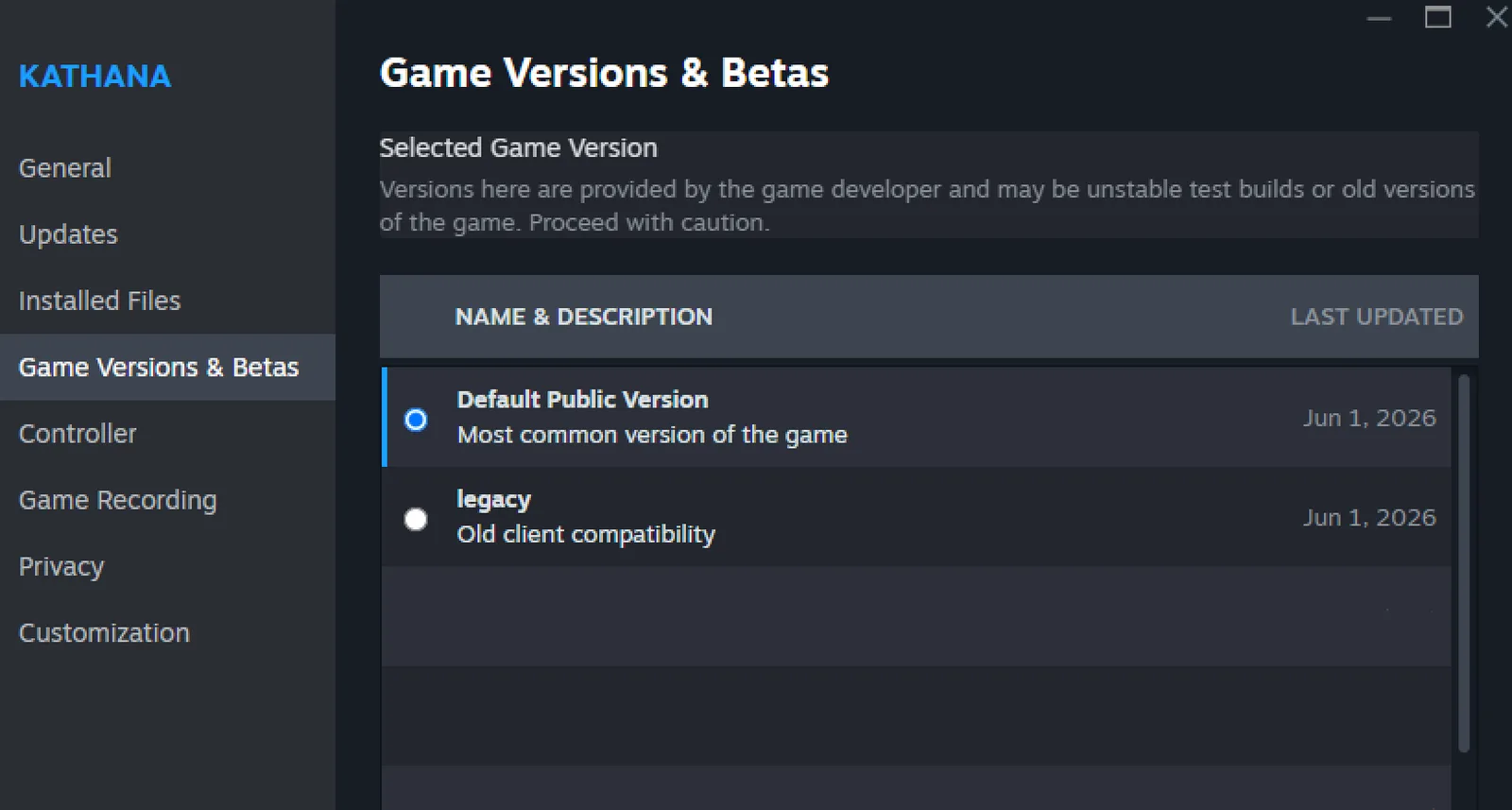
What this shows
Game Versions & Betas
Selected Game Version
Versions here are provided by the game developer and may be unstable test builds or old versions of the game. Proceed with caution.
| NAME & DESCRIPTION | LAST UPDATED |
|---|---|
| Default Public Version - Most common version of the game | Jun 1, 2026 |
| legacy - Old client compatibility | Jun 1, 2026 |